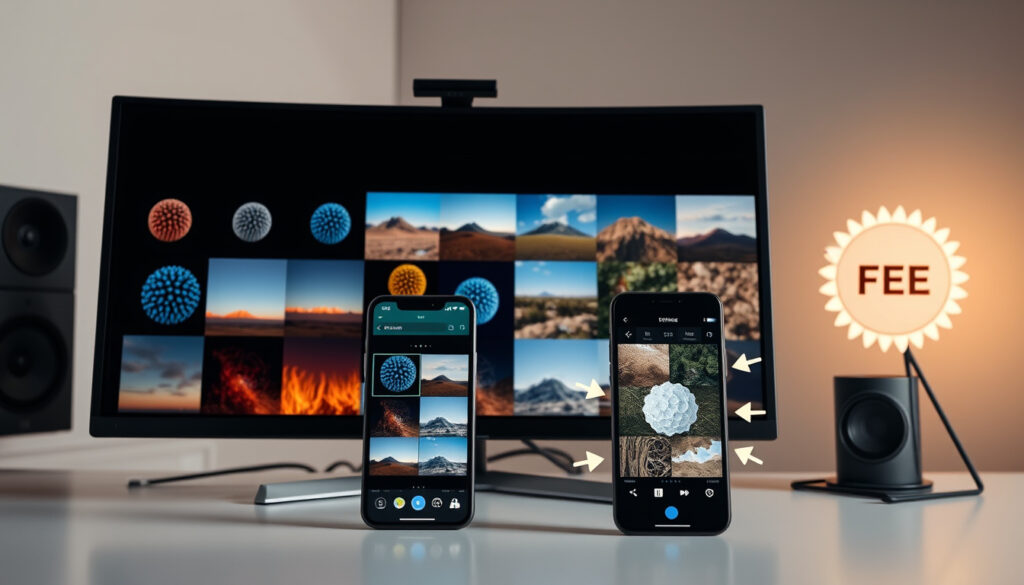
Ai Photo Generator – Best Free Online Tools Compared
AI photo generators have rapidly evolved from experimental tech to everyday tools, letting anyone create images from a simple text description. The choice is wide: some platforms require no sign-up at all, while others offer photorealistic portraits but ask for an account. Understanding which tool fits your needs—whether it’s zero-friction access or the highest realism—makes a difference in both time and output quality.
By 2025, the market has split into general-purpose generators like Adobe Firefly and Canva AI, and niche tools for face-swaps or uncensored content. At the same time, mobile apps are catching up, though they remain less powerful than desktop or web versions. For anyone looking to generate a photo of themselves, the process often involves uploading a real image, raising privacy questions that users sometimes overlook.
Below is a breakdown of the leading free options, how they compare on realism and ease of use, and what remains uncertain about their capabilities and limitations.
What is the best free AI photo generator?
These are models trained on millions of images that convert text prompts or uploaded photos into new visuals.
Quality, speed, customization, watermark policy, and daily generation limits.
Social media content, marketing materials, personal art projects, and real estate visualization.
Deepfake risks, copyright uncertainty, and the need for transparent content filters.
- AI photo generators have become mainstream with free tiers from major brands like Adobe and Canva.
- Quality varies significantly based on the underlying model and how detailed the prompt is written.
- “Photo of yourself” generators often require uploading a reference image for the AI to learn from.
- Most free tools limit daily generations or add watermarks; truly unlimited cloud access is rare.
- Uncensored generators exist but carry ethical and legal risks, including potential misuse.
| Leading free tools | Common input methods | Average quality rating | Cost | Safety features |
|---|---|---|---|---|
| Adobe Firefly, Canva AI, Pixlr, DeepAI, NoteGPT | Text prompt, image upload, face photo | 4/5 for text-to-image (varies by model) | Most have free tiers; premium from $10–30/month | Content filters, copyright policies (varies) |
How to use an AI photo generator from text or image?
Using a text-to-image generator is straightforward: write a descriptive prompt, select a style, and click generate. For image-to-image tasks, you upload an existing picture and instruct the AI to modify it—change the background, apply a filter, or turn it into a painting.
Writing effective prompts
The more specific the prompt, the better the result. Instead of “a cat,” try “a fluffy Maine Coon cat sitting on a sunlit windowsill, photorealistic style.” Many platforms, including Canva AI, provide style presets to help.
Generating from an uploaded image
Tools like DeepAI and Pixlr allow you to upload a photo and combine it with a text prompt. For example, you can upload a selfie and ask for it to be turned into an oil painting or a cyberpunk character.
For portrait generation, using a well-lit, front-facing photo with a neutral background produces the most accurate face adaptation. Avoid busy backgrounds or extreme lighting.
Can AI photo generators create realistic pictures of yourself?
Yes, but the quality depends heavily on the tool and the method used. Some platforms require you to upload several photos to train a custom model, while others work with a single image. According to a 2025–2026 comparison by FindSkill AI, the strongest free cloud-based options for realistic portraits are Google Gemini / Nano Banana and Leonardo AI. Both require an account but are noted for photorealistic output.
Best for no sign-up selfies
If you want to avoid creating an account, Perchance and Craiyon are the clearest no-login options. Perchance is described as fast and unlimited, while Craiyon offers a zero-friction experience but with lower realism overall.
Using DALL‑E 3 for portraits
ChatGPT / DALL‑E 3 is praised for its ease of use and prompt following, but requires a Microsoft or OpenAI account. A review from PCMag places it among the top choices for general image generation, though not for specific face adaptation without a reference photo.
“Free” often means limited credits or watermarks. The only clearly unlimited free option is running Stable Diffusion on your own computer, which requires a powerful GPU and technical setup. Cloud-based unlimited access is not available from any major service.
Which AI photo generator apps work without sign-up or payment?
Truly no-sign-up online generators are rare. The research identifies two that consistently appear: Perchance and Craiyon. Both allow prompt-based generation without any account, but neither is the top choice for photorealism. For higher quality, you will almost always need to register.
What “uncensored” actually means
The research cautions that there is no reliable, source-backed ranking for uncensored AI photo generators. The term is used inconsistently across tools. Some platforms have less aggressive content filters, but none that are fully uncensored in a strict policy sense. Self-reported claims from services like FreeGen.app and NoteGPT.io should be treated with caution.
Using tools that advertise “no filters” may expose you to legal liability, especially if generated images resemble real people or copyrighted works. Always check the platform’s terms of service before uploading photos of yourself or others.
How did AI photo generators evolve over time?
- : OpenAI released DALL‑E, sparking mainstream interest.
- : Stable Diffusion launched as an open‑source model, leading to an explosion of free tools.
- : Adobe Firefly, Canva AI, and Microsoft Copilot integration brought AI image generation to creative suites and Office products.
- : Photorealistic generation became common; real‑time editing features emerged.
- : AI photo generators are integrated into everyday apps, and ethical regulations around deepfakes are being developed.
What is known and what remains uncertain about AI photo generators?
Established information
- AI photo generators can create high-quality images from text prompts.
- Free versions exist with limitations (watermarks, lower resolution, daily caps).
- Most major platforms include content filters to prevent inappropriate images.
Information that remains unclear
- The long-term copyright status of AI-generated images is still being legally defined.
- No single “best” generator applies to all use cases.
- Detection of AI-generated images is not 100% reliable.
Why are AI photo generators becoming so popular?
Demand is driven by content creation, marketing, and personalization. The market splits into general-purpose tools like Adobe Firefly and niche platforms focused on face-swapping or uncensored content. Mobile apps are growing but remain less powerful than web versions. Privacy concerns—especially when uploading personal photos—are often overlooked by users.
Looking ahead, real-time video generation from images, integration with AR/VR, stricter regulation of deepfake-like capabilities, and better multi-modal controls (pose, composition, lighting) are expected to shape the next generation of tools.
Which sources provide reliable information about AI photo generators?
Authoritative sources include official documentation from Adobe Firefly, Canva’s how‑to guides, and DeepAI’s model references. Independent tech outlets such as CNET and PCMag regularly update their comparisons. The research used for this article drew on those sources plus FindSkill AI and Photo AI Studio.
“Adobe Firefly is designed with safety at its core—trained on licensed content and expressly designed to avoid generating harmful imagery.”
Adobe Firefly – official documentation on text-to-image capabilities.
“DALL‑E 3 offers the best prompt following of any image generator we’ve tested, making it ideal for users who want precise control.”
PCMag – best AI image generators roundup.
“Google Gemini / Nano Banana produces the highest quality photorealistic images among free services, though it requires a Google account.”
FindSkill AI – best free AI image generators comparison.
What should you consider before choosing an AI photo generator?
The best tool depends on your priority: zero friction (Perchance, Craiyon), maximum realism (Leonardo AI, Google Gemini), or easy prompting (ChatGPT/DALL‑E 3). Always verify copyright terms before commercial use, and consider using AI image detectors for sensitive contexts. If you are also exploring tech gadgets, you might find the Samsung Galaxy Watch 7 UK Guide useful, or check our Best Bean to Cup Coffee Machine Guide for a different type of buying advice.
Frequently asked questions about AI photo generators
What is the difference between AI image generator and AI photo generator?
An AI image generator creates any type of image (art, abstract, illustration), while an AI photo generator specifically focuses on producing photorealistic images that look like photographs.
Which AI photo generator is best for real estate?
Adobe Firefly and Canva AI offer templates and realistic lighting good for real estate, but specialized tools like Interior AI may be better for room redesigns.
Can I edit AI generated images with AI image editor?
Yes, many platforms like Pixlr and Canva include both generation and editing in one tool. You can also use standalone editors like Photoshop (Generative Fill).
What input do I need for a text‑to‑image generator?
Just a descriptive text prompt. Most tools also let you choose a style (realistic, cartoon, oil painting) and aspect ratio.
Are AI photo generators safe for creating content?
Most mainstream platforms have content filters. However, no tool can guarantee safety against deepfake misuse, and copyright of generated images is still legally unclear.
How many free images do typical tools allow per day?
Limits vary widely: some offer 5–10 generations on a free tier, while others like Perchance claim unlimited. Always check the current policy.
Can I use an AI photo generator on my phone?
Yes, many services have mobile web apps or dedicated apps (Canva, Pixlr, Leonardo AI). However, the mobile versions often have fewer features than the desktop versions.
Do AI photo generators work with my own photos?
Many do, especially for style transfer or “photo of yourself” features. You typically upload a clear face photo, and the AI adapts it to the prompt.
What does “uncensored” mean in AI image generators?
The term is used inconsistently. It usually implies fewer content filters, but no service is completely without restrictions. Self‑reported claims should be verified against independent reviews.
How reliable are AI image detectors?
Detection tools are improving but still not 100% accurate. They can flag AI‑generated images with varying confidence, but false positives and negatives occur.
More related posts
 The One That Got Away Cast – Full List and Key Roles
 Zak Crawley – Dropped by England, Takes Break from First-Class
 Chadwick Boseman – Life, Career, Cause of Death, and Full Legacy
 Cast of the Penguin – Full List and Character Breakdowns
 Late Night Pharmacy Near Me – Find NHS and Boots Options Open Now
 Steve McManaman – The Most Decorated English Footballer Abroad
 Kal Penn – Biography, Net Worth, and White House Career
 Gwyneth Keyworth – Welsh Actress, BAFTA Cymru Winner and Career Facts