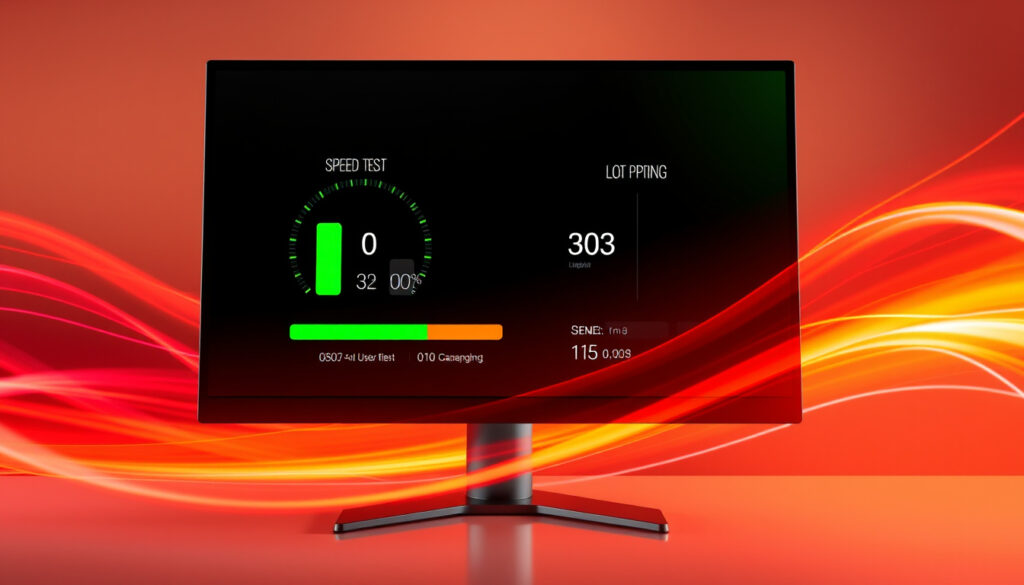
Speed Test Results – How to Understand Download Upload Ping
Understanding Your Speed Test Results: Download, Upload, and Ping
When you run an internet speed test, you receive several numbers that describe your connection’s performance. Each metric tells a different part of the story about how well data moves between your device and the wider internet. (www.speedtest.net/)
Download speed measures how quickly data travels from the internet to your device, expressed in Megabits per second. This figure directly affects how fast web pages load, videos buffer, and files arrive. Upload speed, conversely, tracks the rate at which data leaves your device—essential for video calls, cloud backups, and sharing files. Ping, measured in milliseconds, represents the reaction time of your connection: the round-trip delay between sending a request and receiving a response.
According to the Federal Communications Commission’s broadband guidance, internet speed test results represent a snapshot of your connection at a specific moment, not a guaranteed level of service. Understanding these metrics helps you diagnose whether your connection meets the demands of streaming, gaming, remote work, or everyday browsing.
Key Insights on Speed Test Metrics
- No single speed test is perfectly accurate; using two or three tools together gives a better average picture of your connection quality.
- WiFi speed is almost always lower than the wired speed your ISP provides due to signal interference, distance from the router, and physical obstacles.
- Ping, or latency, matters more for online gaming and video calls than raw download speed alone.
- Internet speed tests measure the connection speed to a specific server at that moment, not the guaranteed speed written into your service plan.
- For the most actionable data, test at different times of day and from different devices connected to the same network.
- Background processes on your device, such as system updates or cloud backups, can negatively impact test results.
Core Internet Speed Metrics Defined
| Term | Definition |
|---|---|
| Download Speed | The rate data is transferred from the internet to your device, measured in Megabits per second (Mbps). This affects loading websites, streaming video, and downloading files. |
| Upload Speed | The rate data is sent from your device to the internet, measured in Mbps. Important for video calls, file sharing, and live streaming. |
| Ping (Latency) | The reaction time of your connection, measured in milliseconds (ms). Lower values are better. Crucial for online gaming and real-time communication. |
| Jitter | The variability in ping over time. High jitter can cause unstable calls, frozen video, and laggy gameplay. |
How to Choose and Use an Internet Speed Test Accurately
Selecting the right speed test tool depends on what you need to measure. Ookla’s Speedtest remains the most widely trusted option, boasting billions of tests and a vast global server network that delivers consistent, detailed metrics across download, upload, ping, and latency. Other tools serve specific purposes: FAST.com by Netflix provides a stripped-back, ad-free experience focused purely on download speed, making it ideal for quick checks relevant to streaming. Cloudflare’s speed test excels at measuring jitter and connection responsiveness, while Waveform targets bufferbloat testing under load conditions.
Running multiple tools strengthens your confidence in the results. Start with Ookla for a comprehensive throughput baseline, add Cloudflare if you need jitter analysis, and use Waveform to check how your connection handles simultaneous data requests. According to research from Bandwidth Place, no single tool achieves perfect accuracy—comparing results across platforms reveals patterns and anomalies that isolated tests miss.
Best Practices for Accurate Testing
- Close background applications before testing, including streaming services, download managers, and automatic update processes.
- Use a wired Ethernet connection whenever possible, as WiFi introduces variability from distance, interference, and network congestion.
- Select the nearest server automatically or manually, as Ookla does, for realistic local speeds—though testing multiple servers provides useful comparison data.
- Test three to five times across different days and times, then average the results; Ookla’s app saves your history for exactly this purpose.
- For WiFi analysis, consider dedicated apps like Speed Test Master or Speed Test WiFi Analyzer to scan signal strength and identify dead zones in your home.
- On mobile devices, Meteor or SpeedTest Master offer reliable multi-server testing with diagnostic information.
Server distance, network congestion during peak hours, device hardware limitations, WiFi interference from walls or appliances, and background traffic all influence speed test results. The Internet Society notes that terms like bandwidth and latency are often confused, yet they describe distinct aspects of connection quality.
Why Speed Test Accuracy Varies and How to Trust Your Results
Variability in speed test results frustrates many users, especially when numbers fall well below what their ISP advertises. Several technical factors explain these discrepancies. Your connection speed test measures performance to a specific server at a particular moment, not the maximum theoretical speed written into your service contract. Network congestion during peak hours, physical distance between your home and the ISP’s infrastructure, and the quality of wiring in your area all introduce real-world limitations.
Using a VPN adds another variable: your traffic routes through an additional server before reaching the test endpoint, which typically reduces speeds. Browser extensions and security software may also interfere with test packets, though the impact is usually minimal. The Consumer Reports guidance on internet speed suggests that latency under 100 milliseconds generally suffices for real-time applications, though under 50 milliseconds provides the responsive experience demanded by competitive online gaming.
What the Numbers Actually Mean
Interpreting your results requires context. The Federal Communications Commission establishes 25 Mbps download and 3 Mbps upload as the minimum for basic broadband, but households with multiple users streaming 4K content or conducting video conferences simultaneously need substantially more—typically 100 Mbps download and 20 Mbps upload or higher. Heavy-use homes with numerous connected devices may benefit from 500 Mbps or faster connections to maintain consistent performance across all gadgets.
If your speed test consistently shows below 80 percent of your advertised plan speed, document your results with screenshots and dates. Contact your ISP with this evidence before your next billing cycle. Consistent underperformance may indicate a technical issue on their end that they are obligated to address.
Action Steps: How to Improve Your Internet Speed
When speed tests reveal persistent performance problems, several troubleshooting approaches can help before you consider changing providers. Begin by optimizing your WiFi setup: position your router centrally in your home, elevate it above floor level, and minimize interference from walls, appliances, and neighboring networks. The 5GHz frequency band offers faster speeds than 2.4GHz but shorter range, making it ideal for devices close to the router.
Reducing the number of connected devices during critical activities helps preserve bandwidth for what matters most. Run bufferbloat tests using Waveform or Fast.com to check whether your connection degrades significantly when handling simultaneous uploads and downloads—this condition causes the stuttering and lag that disrupts video calls and online gaming. Rebooting your modem and router clears temporary memory issues that accumulate over days or weeks of continuous operation.
For those experiencing persistent connectivity issues, exploring local network infrastructure options such as Sunday Roast Near Me – Best Pubs, Times and Prices can provide insights into how community internet infrastructure operates and affects real-world speeds.
When to Escalate to Your ISP
- Speed test results consistently fall below 80 percent of your advertised plan speed after troubleshooting your local network.
- Packet loss or extremely high latency persists across multiple tests regardless of time of day.
- Physical inspection reveals damaged cables, water ingress near junction boxes, or other infrastructure problems on your property.
- Your ISP’s own diagnostic tools confirm service degradation that their technical team must address.
Consider repositioning your router or investing in a mesh network system before paying for faster internet service. Many perceived speed problems actually stem from WiFi coverage issues rather than the raw bandwidth coming into your home. Only upgrade your plan after confirming that your internal network infrastructure cannot be improved further.
A Brief History of Internet Speed Testing
Internet speed testing has evolved alongside broadband technology itself, shifting from simple throughput measurements to comprehensive diagnostics that capture jitter, packet loss, and real-world streaming performance.
- 2006 — Ookla launches Speedtest.net, popularizing browser-based speed testing and establishing a global benchmark for consumer internet performance.
- 2011 — First Speedtest mobile applications become available, extending accurate testing capabilities to smartphones and tablets.
- 2016 — Netflix introduces FAST.com, focusing exclusively on download speeds most relevant to streaming quality and positioning itself as a consumer accountability tool.
- 2020s — Major testing platforms integrate advanced metrics including jitter analysis, bufferbloat testing, and simulated video streaming assessments.
- Present — Speed tests appear as standard diagnostic features within ISP apps, router interfaces, and operating system settings, reflecting their established role in network management.
What We Know for Certain and What Remains Unclear
Confidence in speed test interpretation varies depending on what you are trying to determine. Some facts are well-established and universally acknowledged by technical experts and regulatory bodies alike.
Established Information
- Speed tests measure your connection’s performance to a specific test server at the exact moment of the test.
- WiFi speeds are inherently less consistent and slower than wired Ethernet connections due to signal attenuation and interference.
- Background processes on your device, including system updates and cloud synchronization, can measurably impact test results.
- Tools like Ookla Speedtest and FAST.com are legitimate, widely-used benchmarking services with significant technical infrastructure.
Information That Remains Unclear
- The precise accuracy of any single test, since results vary by server selection, network congestion levels, and device performance capabilities.
- Which tool is definitively “best,” as the answer depends entirely on whether you prioritize comprehensive metrics (Ookla) or simplicity (FAST.com).
- Whether your ISP is throttling your connection based solely on one low test result—multiple tests across different conditions are necessary to build a credible case.
Why Speed Tests Matter in Context
The proliferation of speed tests reflects broader shifts in how people use the internet. As streaming video replaced physical media, cloud gaming gained mainstream adoption, and remote work became routine, consumers gained legitimate reasons to scrutinize the performance they receive from their internet service providers. The numbers produced by testing tools now carry real financial and practical consequences.
Tools like Ookla’s Speedtest offer comprehensive metrics, yet Netflix’s decision to create FAST.com with a deliberately narrow focus highlights an interesting strategic dynamic. By displaying only download speed—the metric most relevant to its streaming service—Netflix implicitly encourages users to measure their connection against the demands of video playback rather than abstract speed tiers. This competition between testing methodologies has ultimately benefited consumers by driving greater transparency across the industry.
Looking ahead, testing platforms increasingly incorporate quality-of-experience metrics that assess how well connections handle simultaneous video calls, online gaming sessions, and background synchronization. These developments acknowledge that raw speed numbers tell only part of the story—what matters most is how reliably your connection performs during the activities you actually care about.
Expert Perspectives on Internet Speed and Testing
“Internet speed test results are a snapshot, not a movie. You need to look at trends over time to understand your connection’s true performance.”
— Federal Communications Commission Broadband Speed Guide
“Latency under 100 ms is generally acceptable for real-time gaming, but under 50 ms is ideal for competitive play.”
— Consumer Reports Internet Speed Guide
“Ookla’s Speedtest uses a global network of servers to measure connectivity metrics that affect user experience.”
— Ookla Speedtest Official About Page
Summary and Next Steps
Understanding how internet speed tests work, what they measure, and how to interpret the results empowers you to make informed decisions about your home network. Run tests through multiple tools, at different times, using both WiFi and wired connections to build a complete picture. Use your findings to optimize your current setup before assuming you need a more expensive service plan.
For related guidance on improving your home network coverage, explore our guide on Sunday Roast Near Me – Best Pubs, Times and Prices to understand how network infrastructure affects real-world connectivity experiences.
Frequently Asked Questions
Is the Speedtest by Ookla app really free?
Yes, the core speed testing functionality is completely free. The app may offer optional premium features or an ad-free experience for a fee, but the basic test remains free.
How often should I run a speed test?
For troubleshooting, test multiple times in a short period. For general monitoring, once a week at different times is sufficient. Test immediately if you notice persistent performance issues.
Can I run a speed test on my smart TV or game console?
Typically, no, as most do not have browser or app access to these tools. The best method is to test from a computer or phone connected to the same network to gauge the available speed for those devices.
What is a good internet speed for streaming and gaming?
At least 25 Mbps download supports HD streaming, while 100 Mbps or higher accommodates 4K content and multiple simultaneous users. For competitive gaming, prioritize low latency under 50 milliseconds over raw download speed.
Does using a VPN affect speed test results?
Yes, a VPN routes your traffic through an additional server, which typically reduces measured speeds. For the most accurate baseline of your ISP connection, disable your VPN before testing.
Why is my WiFi speed slower than my wired connection?
WiFi signals degrade with distance, pass through walls and floors, and compete with interference from neighboring networks and household appliances. A wired Ethernet connection bypasses these obstacles entirely.
More related posts
 Laura Carmichael – Biography, Net Worth, Downton Abbey Role
 Bumpy Johnson – The Real Story Behind the Godfather of Harlem
 Kaitlyn Dever – Biography, Age, Movies and The Last of Us Role
 Aldis Hodge – Biography, Net Worth, Brother, and Career
 My Hero Academia – Complete Guide to Characters Seasons and Streaming
 Michael Jai White – Biography, Martial Arts and Movie Career
 Virgin Media Email Sign In – Complete Login Guide & Troubleshooting
 Miranda Cosgrove – Age, Net Worth, Movies and Full Biography for 2025